A self-guided product walkthrough
See the story take shape.
Explore actual product screens at your own pace. Then work through the team setup and family handoff that matter to your organization.
Create. Share. Read together.
Product screen 1 of 3
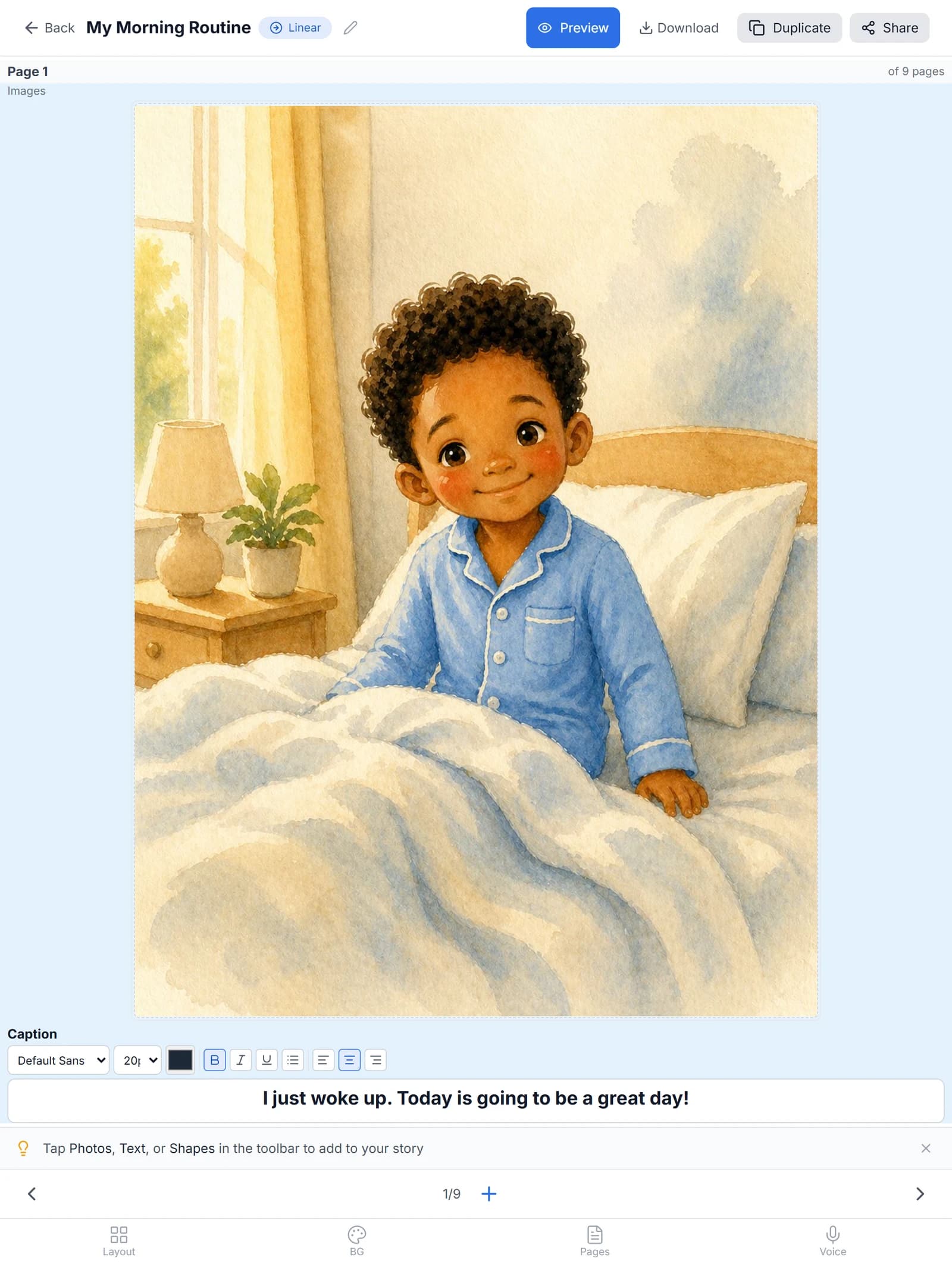
Create with StoryRetriever
Use the editor to combine an image and clear, familiar language. Adapt each story to the person and situation.
Captured in the live app. The Professional Dashboard uses demo families.
Open the full screenshot in a new tab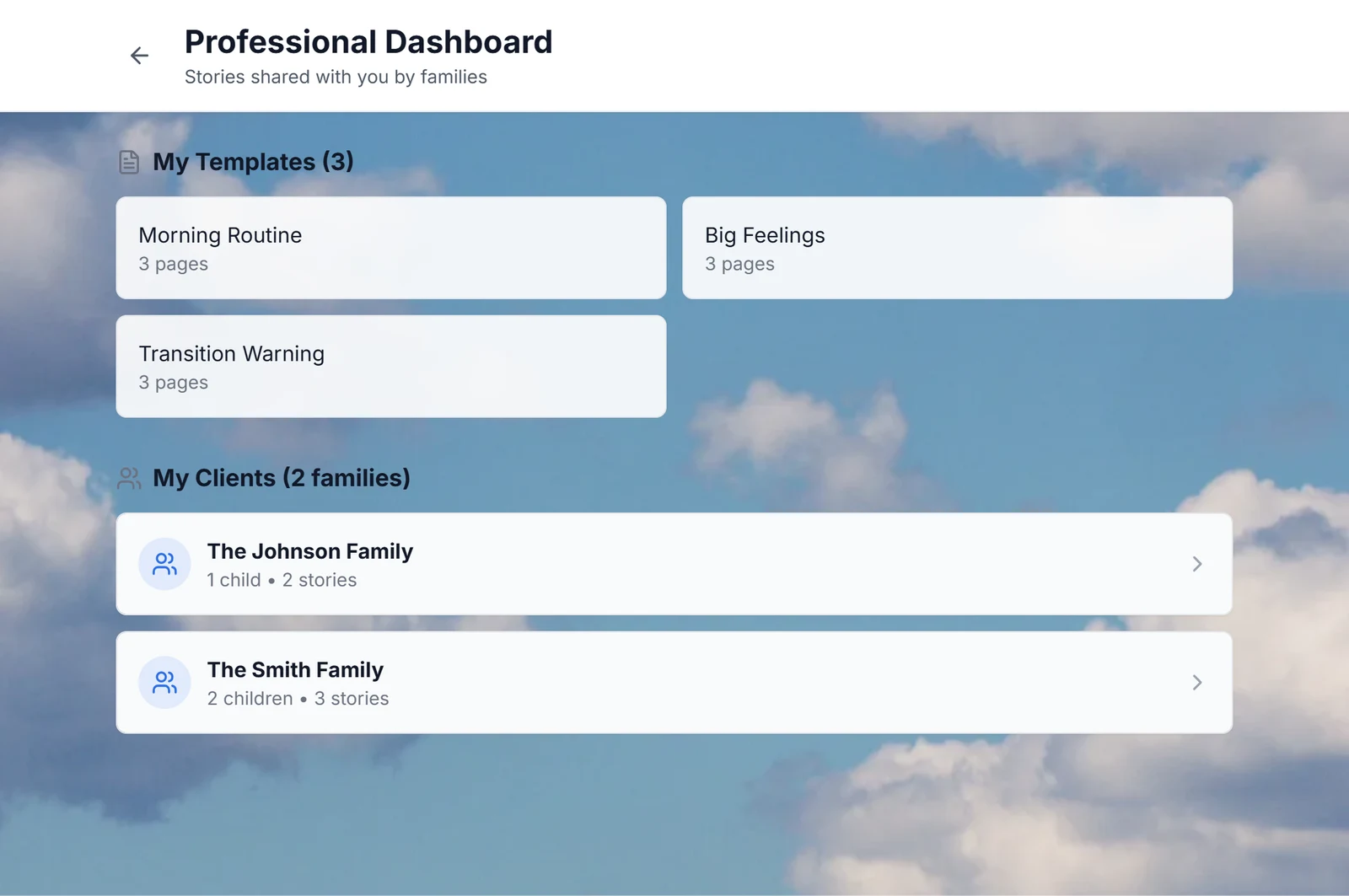
Product screen 2 of 3
Connect with StoryRetriever
The Professional Dashboard brings reusable templates and connected families together. Open a family to see the stories they have shared with you.
Captured in the live app. The Professional Dashboard uses demo families.
Open the full screenshot in a new tab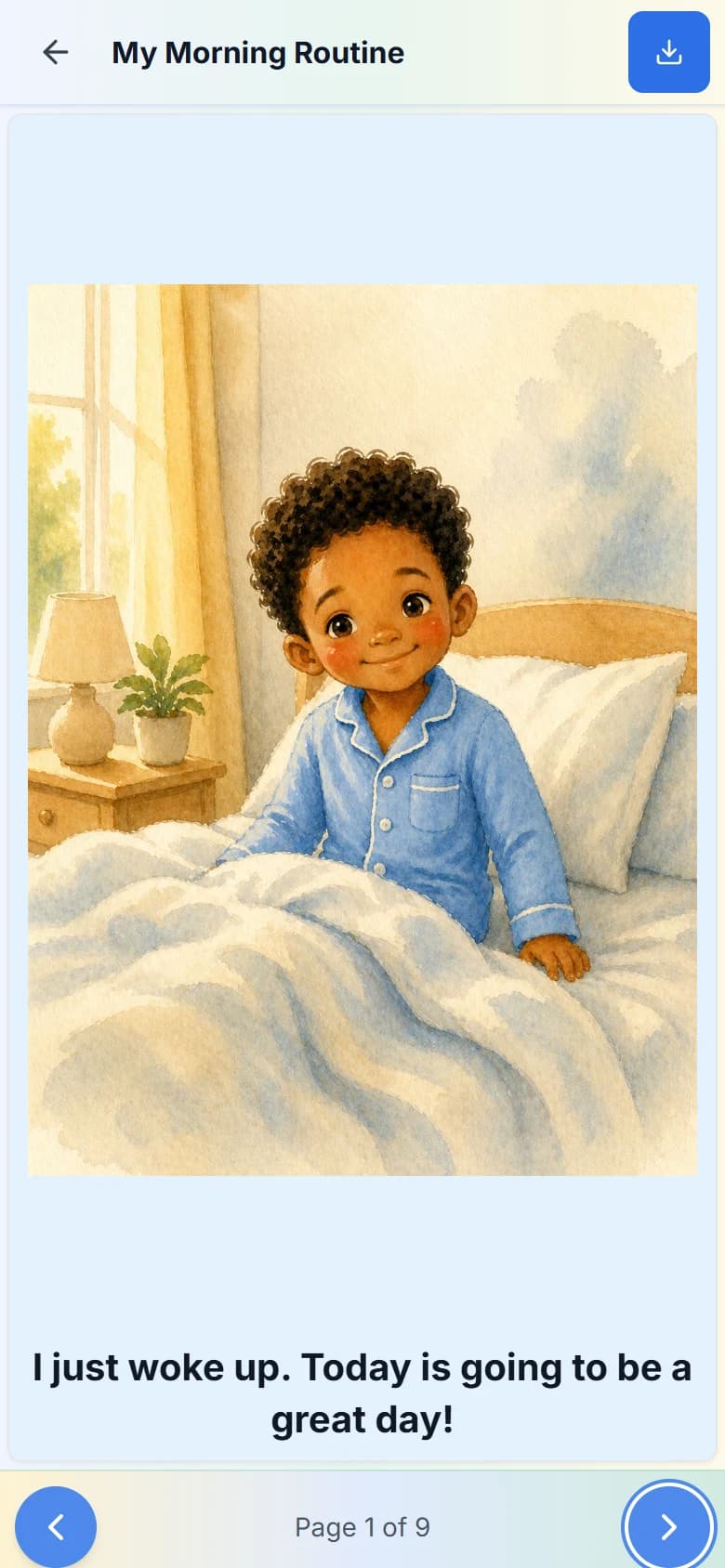
Product screen 3 of 3
Read with StoryRetriever
Read one page at a time. Previous and next controls let the reader choose the pace.
Captured in the live app. The Professional Dashboard uses demo families.
Open the full screenshot in a new tab- 01
Choose an everyday moment
Start with a classroom arrival, a new space, or a change in routine. Agree on the words and details with the people who know the student.
- 02
Build a story your team can use
Add familiar photos and simple language. Use your organization library to keep reusable resources in one place.
- 03
Bring families into the plan
Choose the appropriate sharing and family-access options after your school's approval. Explain who can read, change, and share each story.
Bring these questions to a team walkthrough
- Who creates the resources, and who maintains them?
- What does the family see when a story is shared?
- Which staff and family access should the organization cover?
- What needs review before your team uses real information?
This is an interactive screen tour, with written explanations. For a conversation about your own setup, request a team walkthrough.
Try the reading experience too: open a public example story.
A clear next step
Let's work through your setup.
Tell us about your team and what you need to evaluate. We'll use your inquiry to discuss fit, pricing, and the next steps.