Tap-to-speak communication boards your child can actually use
Build a custom board for your child with photos, words, and your own voice. Free with every account, with one board on the free plan and unlimited on paid plans.
Free with every account · Works offline · Print-ready · Designed with child privacy in mind
What is a communication board?
A communication board is a grid of pictures a child can tap to communicate. The pictures can be photos of real things (a banana, the bathroom, a pet's face) or emoji. When a cell is tapped, it plays an audio clip you have recorded in advance. Some children use a board to ask for help, label feelings, or make choices. Others use it to start communicating non-verbally before speech develops.
Communication boards are a separate tool from visual social narratives. A story walks a child through a situation in advance. A board lets a child speak in the moment. Many families use both, often on the same device.
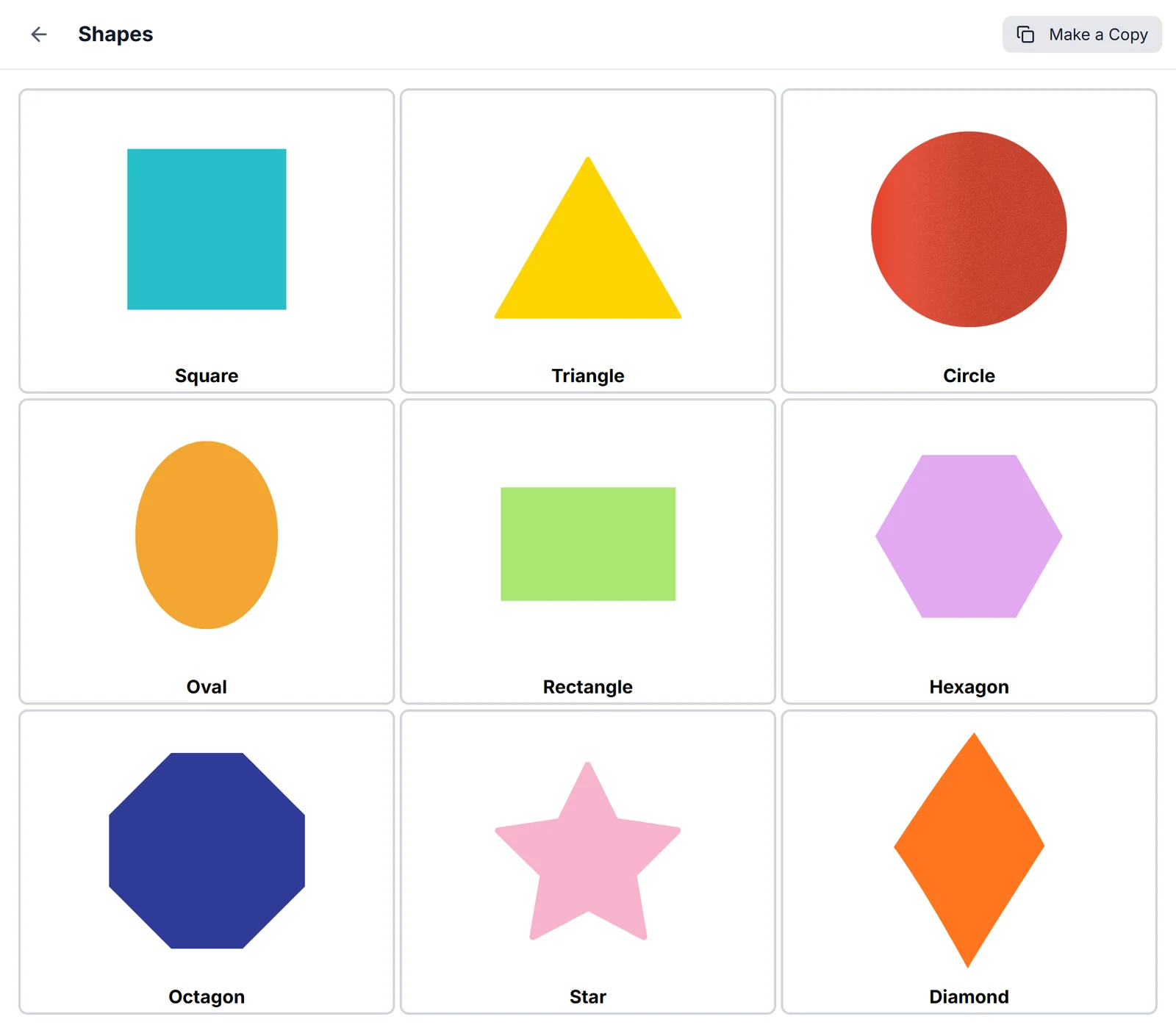
See a board in the app.
The Shapes board from the StoryRetriever library brings nine pictures and their labels together on one screen.
What you can do with StoryRetriever's communication boards
Build a board in minutes
Pick a grid size (anywhere from 2x4 to 10x10) and add cells. Each cell can hold a photo or an emoji from our curated library.
Use your child's real photos
Upload pictures of the actual food in your fridge, the actual classroom door, the actual person whose face matters. Real photos are easier for many children to recognize than generic symbols.
Record your own voice
Each cell plays an audio clip when tapped. Record it yourself with the words and tone your child knows.
Customize colors and labels
Set each cell's background color, label text, and font size. Keep things simple, or use color to group categories like food, feelings, and people.
Share with the people who help
Share a board with your child's professional or with a trusted family member. They can view, edit, or share it further depending on the permission you grant.
Works offline, prints to PDF
Once a board is saved, it works without internet. You can also print it to PDF for a paper backup or to send to a school.
How families and professionals use boards together
Build at home, share with the SLP
A parent builds a "snack time" board with photos from their own kitchen. They share it with their child's SLP. The SLP uses the same board in session so the child sees consistent images at home and at school.
Build in session, share with home
An SLP builds a "feelings" board during a session and demonstrates how to use it. They share it with the family. The family has it ready that evening with no setup work.
Build for a specific event
Create a one-time board for a birthday party, a doctor visit, or a new caregiver. Use it for the day, then archive it. The next event gets its own board.
What our communication boards don't do
Some communication tools include text-to-speech, preloaded core vocabulary like the words used in research-based AAC, and integration with major symbol libraries like PCS. Ours do not. Our communication boards are a tap-to-play picture grid you build yourself with your own photos and your own voice.
If your child needs a clinical AAC tool with text-to-speech and a structured vocabulary system, your speech-language pathologist can recommend one. Our boards are a useful complement, not a replacement.
Frequently asked questions
- What's the difference between a communication board and a visual social narrative?
- A visual social narrative is a story that prepares a child for a situation before it happens. A communication board lets the child speak (by tapping) during a situation. They serve different needs and many families use both.
- Does it have text-to-speech?
- No. You record your own audio for each cell. We chose this on purpose: a parent's or sibling's voice is more familiar than a synthesized one, and it gives families control over exact word choice and pronunciation.
- Is this an AAC device?
- Communication boards can support communication, but our app is not a clinical AAC system. If your child has been evaluated for AAC and needs features like preloaded core vocabulary, word prediction, or sophisticated symbol libraries, ask your SLP about dedicated AAC tools. Our boards work well as an everyday complement.
- How many boards can I create?
- The free plan includes 1 communication board. Paid plans (Silver, Gold, Professional) include unlimited boards.
- Can my child's school SLP make a board for me?
- Yes. SLPs can create boards and share them with families through their professional account. Parents can view (or edit, depending on the permissions the SLP grants) and use the board on their own device.
- Can I print the board?
- Yes. Every board exports to PDF. Some families print boards for car rides, restaurants, or settings where pulling out a phone is awkward.
Get started with your first board
Communication boards are included with every StoryRetriever account, free or paid. Build your first board in about ten minutes.